


Files and proofs
Place an EDDM indicia on your art
Choose your postcard and the design rises into the preview on this page. Add the official postage box, the address box, or a mark you already have. You can place two marks, move them, make them bigger or smaller, and remove one before you download. The PDF keeps your original art and its color. PNG, JPG, and WEBP are picture copies for email.
Guide last checked and updated October 12, 2026 by the 55printing prepress team.
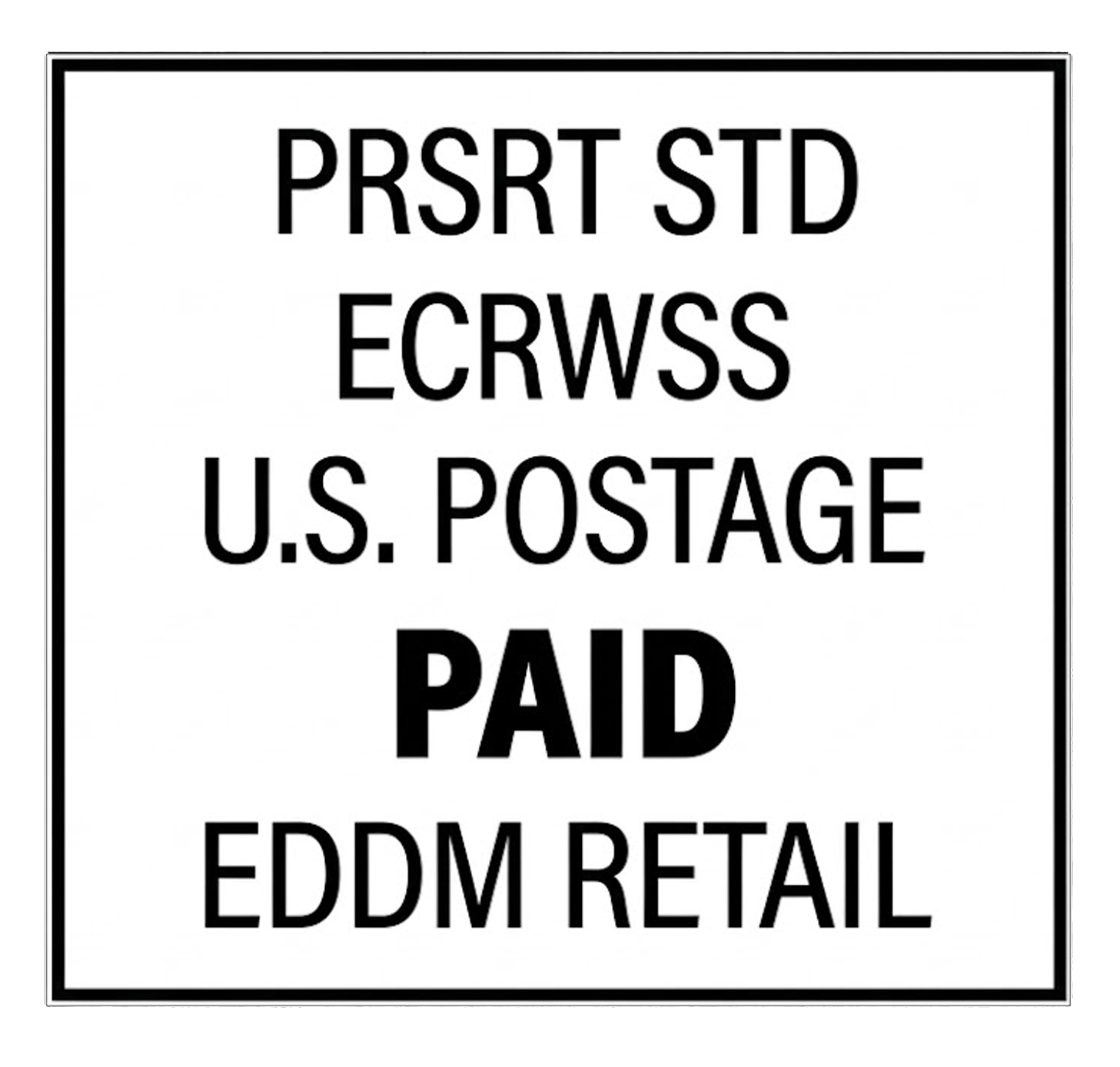
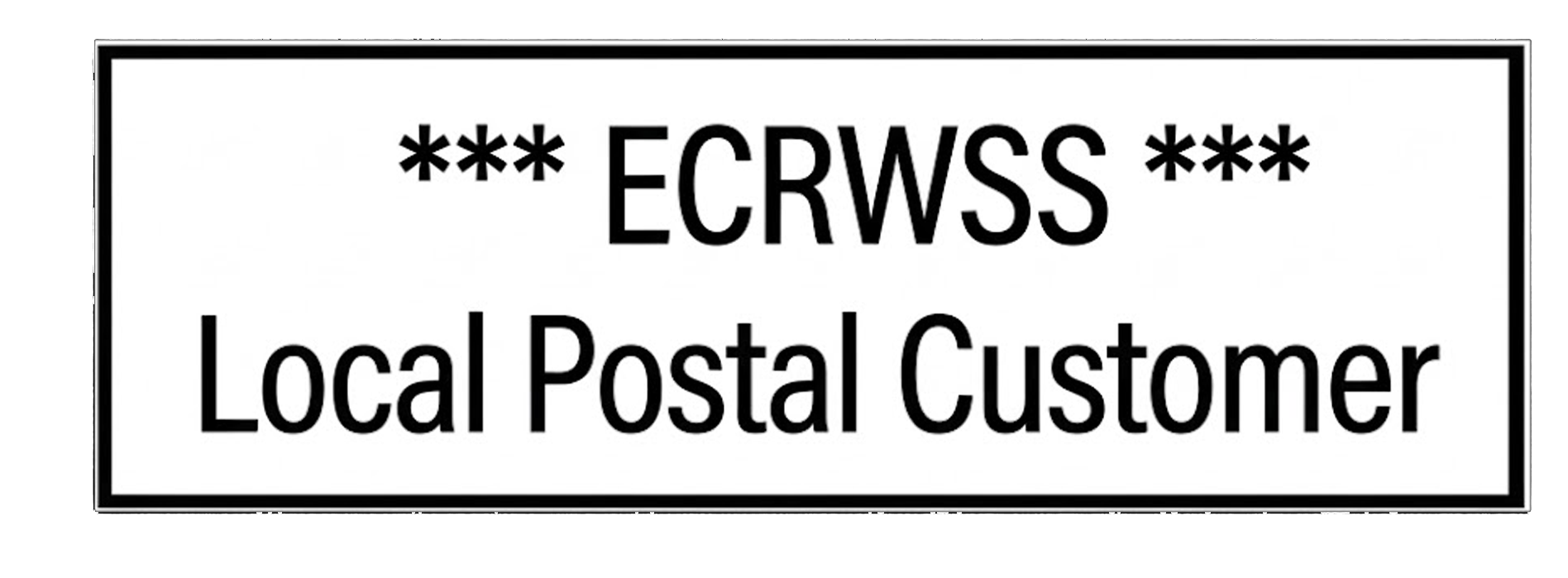
Which mark to use
| Mark | Starts at | Limit | Usual place |
|---|---|---|---|
| Postage box | 0.857 in | 0.90 in | Top right of the mail side |
| Address box | 3.25 in | Its own pixels | Top left, beside postage |
| Two marks together | One each | 2 total | Drag so they do not cover each other |
How to place the marks
- Choose the postcard file The design appears in the preview as soon as you choose a PDF, JPG, PNG, or WEBP. Nothing is uploaded.
- Add up to two marks Place the postage box, the address box, or your own file. Move them, make them bigger or smaller, or remove one.
- Download the PDF The PDF keeps your original color. PNG, JPG, and WEBP are picture copies for email.
Pick your path
Two ways to get this done - both 100% free
Complimentary prepress service
Send us your files - we'll handle Place EDDM Indicia
Use our File Uploader to send artwork and notes. Our team will complete this task and email you back completely free of charge.
- Upload the postcard PDF or image
- Say whether you want postage, the address box, or both parts
- Tell us which page is the mail side
1. Your art
2. Indicia
3. Preview, then export
Your design shows here as soon as you choose the file. Add up to two marks. Select one, then drag it, make it bigger or smaller, or remove it. The PDF keeps your original color. PNG, JPG, and WEBP are RGB pictures of this preview.
Choose a file and your design appears here.
Questions before you place the marks
Does the PDF change my colors?
No. The PDF download opens your file and draws the indicia on top of the page you chose. Your existing images, fonts, and color profile stay in the file. We do not flatten the page into a new RGB picture for that download. Use the PDF when the postcard is going to print. PNG, JPG, and WEBP are separate picture copies for a quick look in email, and those picture copies are RGB.
How big should the postage mark be?
The postage box starts at 0.857 inches wide, which is the size we place on press. You can move it and you can make it a little smaller, but this tool will not let that postage mark grow past 0.90 inches wide. A stretched permit is not a valid EDDM mark. The address box and the combined panels can be sized too, and they stop at the pixel size of the artwork so the type does not get soft.
Can I place two indicia marks?
Yes. This page allows two marks at the same time, which covers the postage box and the address box on one mail side. Select either mark to drag it, nudge it, or change its width. Remove one when you want a different file in that slot. A third mark is refused until you remove one, so the two boxes stay easy to see and do not pile into a stack of copies.
Can I use my own indicia file?
Yes. Upload a PNG, JPG, or WEBP of the mark you already have. Place it the same way as the official files: drag it, set the width in inches, and preview it before you export. A PNG with a transparent background sits on the art without a white block. If you are not sure the mark is the official EDDM Retail permit, send the file and we will place the official boxes at no charge.
Which page gets the indicia?
On a two-sided postcard the indicia belongs on the mail side, which is usually the back. This tool preselects the last page of a PDF so a front-and-back file starts in the right place. Change the page menu if your mail side is a different page. Image files are a single page. If the PDF was saved sideways, rotate it first with Rotate Files, then come back and place the mark.
Can I remove a mark after I place it?
Yes. Each mark has a Remove button, and you can add another until you are back at two. Bigger and Smaller change only the mark you have selected, in small steps, and the postage box still stops at 0.90 inches wide. Dragging on the preview moves that same selected mark. The download uses the positions you see, so remove a mark before you export if it should not print.
Is a 4 by 6 card an EDDM piece?
No. A 4 by 6 card is a letter, not an Every Door Direct Mail flat. The EDDM postcard we print most often is 6.5 by 9 inches, and the indicia belongs on the mail side of that piece. Use the mailpiece checker for thickness, audience, and flat size before you treat a small card as EDDM. This placer only puts the mark on the file you chose. It does not turn a letter into a flat.
Which download should I send for printing?
Send the PDF. That file keeps your original art and its color, with the marks drawn on the page you previewed. PNG, JPG, and WEBP are RGB pictures for an email or a quick look, and they are not the press file when the postcard uses a print color profile. Open the PDF and confirm both marks sit where you placed them before you upload it on the order. If you want us to place the official boxes, use the File Uploader at no charge.
The postcard was finished, and the postage box was still a pale label in the corner
An EDDM postcard arrived with a pale rectangle that said the indicia would go there later. The type was not the official postage box, and it was wider than the mark the postal service accepts. Stretching a screenshot into that box would have made the letters soft. We built this placer so the official postage box, the address box, or a file you already have can sit on the mail side at a real inch size, with a preview before the download.
Place the mark on your own art here for free. The PDF keeps the art you started with and its color. Send the file if you want us to place the official mark at no charge and show it on the proof. Pale labels that are not a real indicia are why this tool is public.
Does 55printing place the EDDM indicia with this tool before a proof?
Yes. We built it after a finished postcard used a pale corner label instead of the official postage box, and that label was wider than the mark we can print. Anyone can place an official file or their own mark here for free, preview it, and download a PDF that keeps the original color. Send the file and we place the same official mark at no charge on the proof. A picture download is for email. The PDF is the file that goes to print.
A placed indicia still needs a mailable size and a proof
The mailpiece checker asks whether the card is a USPS flat and whether the audience is homes. Guideline templates show the official trim. This placer only puts the mark on the page. It does not mail the card.
Create & Design
- Online Designer - Free browser design studio for cards, flyers, and more
- Guideline Templates - Bleed and safe-zone files for popular print sizes
- Paper Types Gallery - See which products use each stock, plus similar-paper picks
- AI Design Help - Staff-assisted AI help for logos and artwork
- All languages - Design, print, chat, and email in any language
- QR Code Generator - Create a free custom QR code for print
- QR Code Scanner - Test if a printed or file QR is readable and what it opens
- Free Sample Kit - Feel our paper, coatings, and finishes, mailed to your door
Files & Proofs
- Print Clear: Print Resolution Checker - Check effective PPI, print size fit and color signals before printing
- Rotate Files: PDF, JPG & PNG - Turn a file 90°, 180° or 270° in your browser without uploading it
- True Size Letter PDF - Center pages on Letter at true 1:1 size without scaling
- Mixed Page Landscape Fit - Preserve landscape pages and turn mismatched portrait pages left
- PDF Punch Clearance Guide - Plan an adjustable binding-side band and three-hole guide
- PDF Bleed Box and Edge Ink - Inspect PDF boxes and rendered ink near every edge
- PDF Duplex Readiness - Inspect page count, orientation, blank backs and duplex flags
- PDF to Real DeviceGray - Rasterize selected or all pages to true 8-bit DeviceGray
- PDF Duplex Metadata - Set long-edge or short-edge preference without changing pages
- Print Ready Preflight Check - Check dimensions, bleed planning and effective PPI before printing
- Business Card Print-Safe Check - Check the 3.5 × 2 inch card plan, bleed and image detail
- EDDM Mailpiece & Indicia Checker - Check USPS flat size, thickness, audience and indicia planning
- QR Print Readiness Checker - Decode a QR and check printed size, contrast and quiet zone
- File Uploader - Upload artwork or request a free file review
- Artwork Quality Enhancer - Restore blurry text, weak edges, and low-resolution print files
- Low-Res Text Recovery - Recover blurry text on photos, foil, and any background
- Color Profile Check - Check if a PDF is CMYK or RGB, plus the ICC profile and output intent
- Word to PDF - Convert DOC and DOCX to high-fidelity print PDF
- PDF to JPG - Export PDF pages as JPG or PNG at print DPI
- Images to PDF - Merge JPG, PNG, WebP, and PDF into one file
- Grammar Check - AI spelling and clarity check for print copy
- AI Uncrop Image - Free local image uncrop; AI extend by request
- Free PDF Proof - Get a digital proof before you place an order
- PowerPoint to JPG/PDF - Turn slides into print pages and proof images.
Plan & Budget
- Print Cost Per Piece Calculator - Model transparent setup, materials, finishing, mailing and postage assumptions
- Direct Mail ROI Calculator - Model response, conversion, CPA and break-even before a mail drop
Order & Pay
- Online Payment - Pay an invoice with card, PayPal, or wallets
- Pay Later - Order now and pay after you approve the proof
- Price Match - Ask us to review a lower competitor price
Samples & Support
- Custom Quotes - Get a written quote for special sizes, finishes, and large runs
- Custom Orders - Special sizes, finishes, or design requests
- Contact - Reach our print specialists by phone or form