


DEVICEGRAY · SELECTED PAGES · LOCAL CONVERSION
Convert PDF to grayscale for printing
Rasterize all pages or selected pages and encode each converted page as a real 8-bit DeviceGray image object instead of RGB pixels that only look gray.
A gray-looking PDF can still contain RGB or CMYK objects and may be counted as color. This browser tool renders the selected pages, calculates one luminance channel and writes an 8-bit DeviceGray image into the new PDF. Unselected pages stay copied from the source. Converted pages are flattened, so review sharpness and searchable text before printing.
Guide last checked and updated October 11, 2026 by the 55printing prepress team.
Pick your path
Two ways to get this done - both 100% free
Complimentary prepress service
Send us your files - we'll handle Convert PDF to grayscale for printing
Use our File Uploader to send artwork and notes. Our team will complete this task and email you back completely free of charge.
- Upload the PDF and list the pages that should become DeviceGray
- Leave color covers out of that page list
- Ask us to keep the original file beside the gray download
FREE DEVICEGRAY CONVERTER
Choose exactly which pages become gray
Browser conversion · original stays untouched
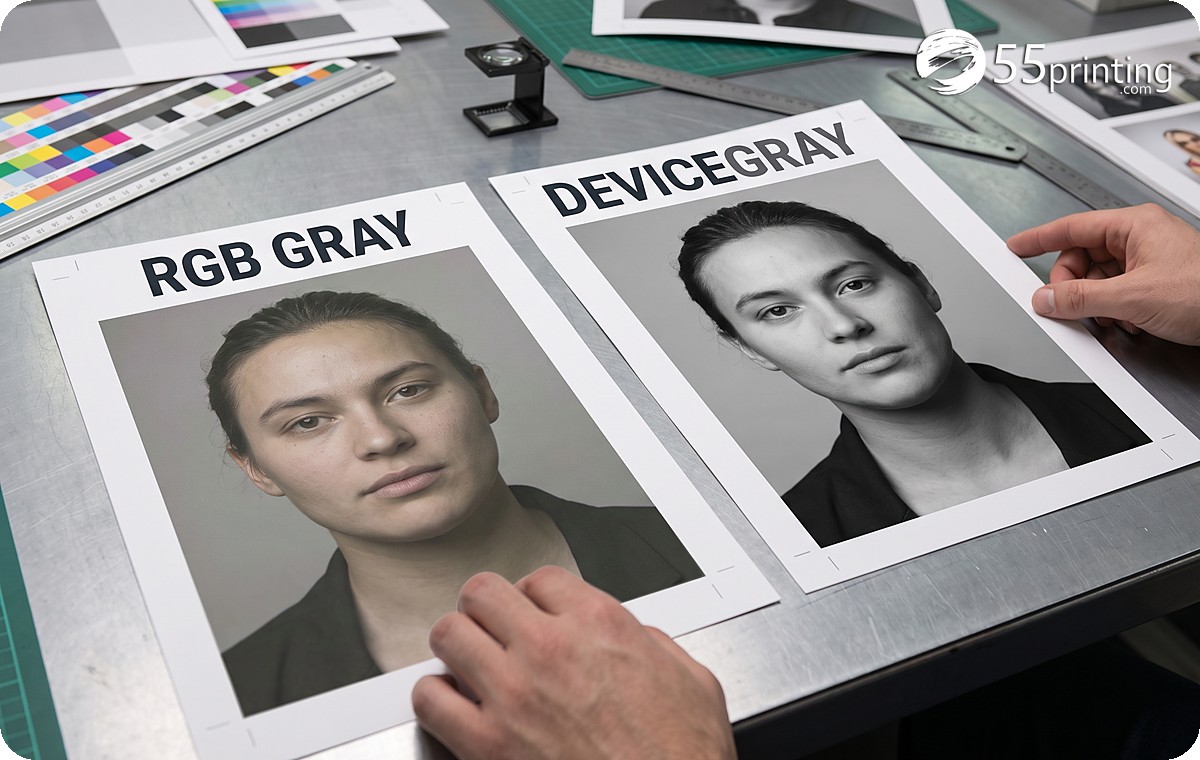
Gray appearance and gray color space are different
Three equal RGB channel values look neutral on screen, but the PDF object is still RGB. DeviceGray stores one channel. That distinction matters to some production workflows and click counters, although the printer and contract remain the final authority.
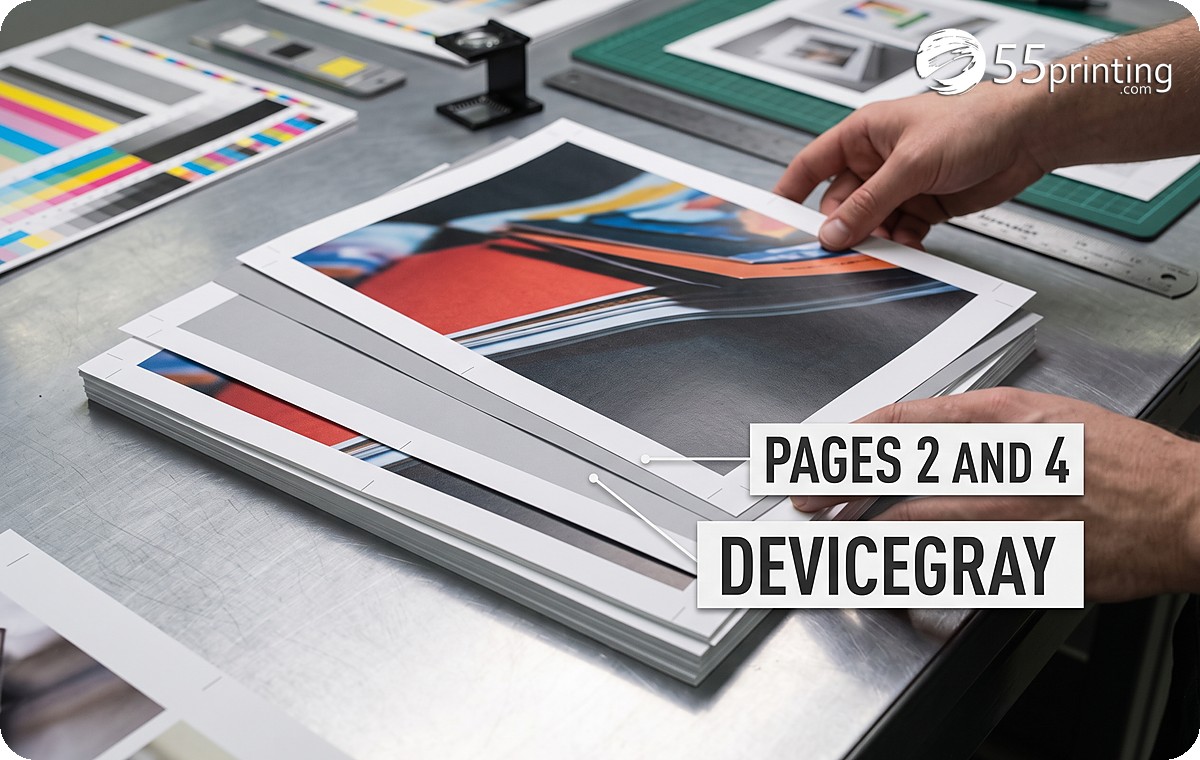
Selected-page conversion is useful when a document contains color covers and black-and-white interior pages. The tool copies unselected pages and rasterizes only the numbers or ranges you enter.
How to create a DeviceGray PDF
- Choose all or selected pages. Enter comma-separated numbers or ranges such as 1,3,5-8.
- Select raster resolution. Use 300 DPI for close reading when browser memory allows; use 150 DPI for lighter review files.
- Verify the download. Inspect fine text and confirm DeviceGray with a PDF color-space checker before production.
Choose the right grayscale path
| Method | PDF color space | Tradeoff |
|---|---|---|
| Looks gray in RGB | Still RGB | May still trigger color workflow |
| DeviceGray raster page | One gray channel | Flattens vectors and text |
| Leave color pages selected out | Original objects remain | Mixed color and gray document |
DeviceGray conversion questions
What is DeviceGray in a PDF?
DeviceGray is a one-component PDF color space. Each pixel or painted value uses one gray channel instead of three RGB channels or four CMYK channels. This tool writes converted pages as 8-bit DeviceGray image XObjects. Confirm the page resources after export, because a gray-looking RGB image is still color data.
Why can a gray-looking PDF count as color?
Neutral RGB pixels still belong to an RGB object, and gray CMYK artwork can contain process color values. A copier or workflow may classify those objects as color even when the screen appearance is gray. Device behavior and billing rules vary.
Can I convert only selected pages?
Yes. Choose Selected pages and enter numbers or ranges such as 1,3,5-8. The selected pages are rendered and rebuilt as DeviceGray images. Pages not selected are copied from the source PDF without this grayscale conversion. Open the download and compare it with the source before you discard the original.
Will searchable text stay searchable?
Not on converted pages. Rasterization flattens text, vectors, layers and transparency into pixels. Unselected pages can retain their original structure. Keep the untouched source when a later search or screen reader must still find the words. Zoom the body text on the download before the file goes to a copier.
Should I choose 150 or 300 DPI?
Use 300 DPI for close-view text and detailed documents when memory and file size allow. Use 150 DPI for lighter review output or distance-view material. Neither setting can restore detail absent from the source. Zoom the download to the size a reader will hold before you accept 150 DPI for body text.
Does DeviceGray guarantee black-and-white click pricing?
No. It removes a common color-space cause, but the printer model, RIP, automatic color detection and service contract control accounting. Verify one production sample and the device meter before relying on a billing outcome. Ask which color space that meter reads before you promise a black-and-white click rate.
We rebuild gray pages as DeviceGray when a copier bills them as color
A handbook interior looked gray on screen and still metered as color. The objects were RGB with equal channels. We converted those interior pages to 8-bit DeviceGray and left the color cover alone. The text on the converted pages is no longer searchable, so we keep the source PDF in the job folder. A 150 DPI pass is only for a quick look. Body type that people read up close goes out at 300 DPI.
55printing uses this conversion when the meter, not the appearance, is the problem. We keep teaching which pages to leave in color. Daily. No ceiling.
Does 55printing convert live handbooks to DeviceGray?
Yes, when interior pages should print as black and white and the copier is still seeing RGB or CMYK objects. We convert the noted pages, keep the source, and check one metered sample. DeviceGray does not by itself promise a black-and-white click price.
DeviceGray still sits beside the color-profile check
Before a conversion, the color-profile bench tells us whether the file is RGB, CMYK, or already gray. Offset work that needs GRACoL does not belong in this raster path.
Create & Design
- Online Designer - Free browser design studio for cards, flyers, and more
- Guideline Templates - Bleed and safe-zone files for popular print sizes
- Paper Types Gallery - See which products use each stock, plus similar-paper picks
- AI Design Help - Staff-assisted AI help for logos and artwork
- All languages - Design, print, chat, and email in any language
- QR Code Generator - Create a free custom QR code for print
- QR Code Scanner - Test if a printed or file QR is readable and what it opens
- Free Sample Kit - Feel our paper, coatings, and finishes, mailed to your door
Files & Proofs
- Print Clear: Print Resolution Checker - Check effective PPI, print size fit and color signals before printing
- Rotate Files: PDF, JPG & PNG - Turn a file 90°, 180° or 270° in your browser without uploading it
- True Size Letter PDF - Center pages on Letter at true 1:1 size without scaling
- Mixed Page Landscape Fit - Preserve landscape pages and turn mismatched portrait pages left
- PDF Punch Clearance Guide - Plan an adjustable binding-side band and three-hole guide
- PDF Bleed Box and Edge Ink - Inspect PDF boxes and rendered ink near every edge
- PDF Duplex Readiness - Inspect page count, orientation, blank backs and duplex flags
- PDF Duplex Metadata - Set long-edge or short-edge preference without changing pages
- Print Ready Preflight Check - Check dimensions, bleed planning and effective PPI before printing
- Business Card Print-Safe Check - Check the 3.5 × 2 inch card plan, bleed and image detail
- EDDM Mailpiece & Indicia Checker - Check USPS flat size, thickness, audience and indicia planning
- QR Print Readiness Checker - Decode a QR and check printed size, contrast and quiet zone
- File Uploader - Upload artwork or request a free file review
- Artwork Quality Enhancer - Restore blurry text, weak edges, and low-resolution print files
- Low-Res Text Recovery - Recover blurry text on photos, foil, and any background
- Color Profile Check - Check if a PDF is CMYK or RGB, plus the ICC profile and output intent
- Word to PDF - Convert DOC and DOCX to high-fidelity print PDF
- PDF to JPG - Export PDF pages as JPG or PNG at print DPI
- Images to PDF - Merge JPG, PNG, WebP, and PDF into one file
- Grammar Check - AI spelling and clarity check for print copy
- AI Uncrop Image - Free local image uncrop; AI extend by request
- Free PDF Proof - Get a digital proof before you place an order
- PowerPoint to JPG/PDF - Turn slides into print pages and proof images.
Plan & Budget
- Print Cost Per Piece Calculator - Model transparent setup, materials, finishing, mailing and postage assumptions
- Direct Mail ROI Calculator - Model response, conversion, CPA and break-even before a mail drop
Order & Pay
- Online Payment - Pay an invoice with card, PayPal, or wallets
- Pay Later - Order now and pay after you approve the proof
- Price Match - Ask us to review a lower competitor price
Samples & Support
- Custom Quotes - Get a written quote for special sizes, finishes, and large runs
- Custom Orders - Special sizes, finishes, or design requests
- Contact - Reach our print specialists by phone or form