IMPOSITION ON OUR PRIVATE WORKER

Free PDF 2-Up Imposition

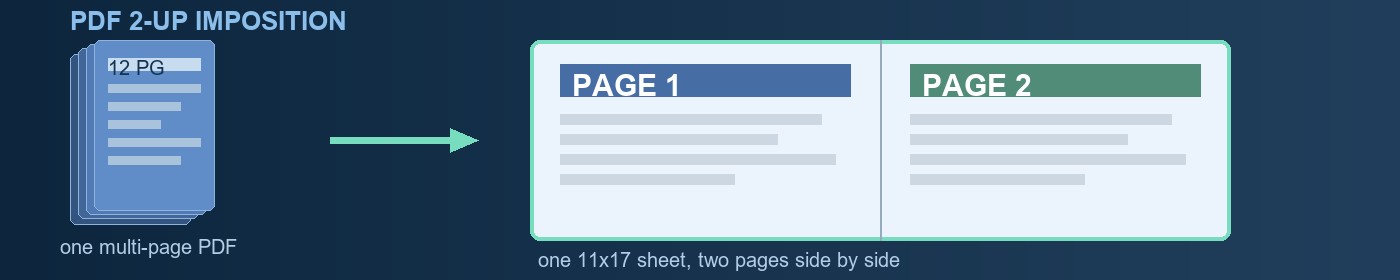
Put two PDF pages on each 11x17 or letter sheet in the order your printer needs: sequential pairs, cut and stack, or booklet order. Pages are placed as vectors, not re-printed.

PDF input Tabloid 11x17 or letter Automatic file deletion

Guide last checked and updated October 13, 2026 by the 55printing prepress team.

Checking impose worker... Public limit: one PDF per minute, up to 15 MB

Pick your path

Two ways to get this done - both 100% free

What 2-up imposition does

The church printed 200 programs for Sunday and every letter page came out on its own sheet: 12 sheets per program, 2400 sheets, and three hours of collating. Or the restaurant sent the new menu to the copy shop and learned that printing one page per sheet wastes twice the paper the design needs. This free PDF imposer solves exactly that: it takes a multi-page document and lays two pages on every sheet, in the order your next step requires.

Imposing is not the same as merging. The PDF merger glues files end to end, one page per sheet. Imposition changes the geometry: every output sheet is split into two cells, and the engine decides which page sits left and which sits right according to the order you pick. Pages are placed as vectors with PyMuPDF, the same engine our prepress runs, so text and lines stay sharp at any zoom; nothing is rasterized or re-printed.

The job runs on the private 55printing worker in the office, the same machine that preps real orders every day. Your PDF uploads to secure temporary storage, the result is kept just long enough for you to download it, and the temporaries delete themselves. The original on your computer is never modified.
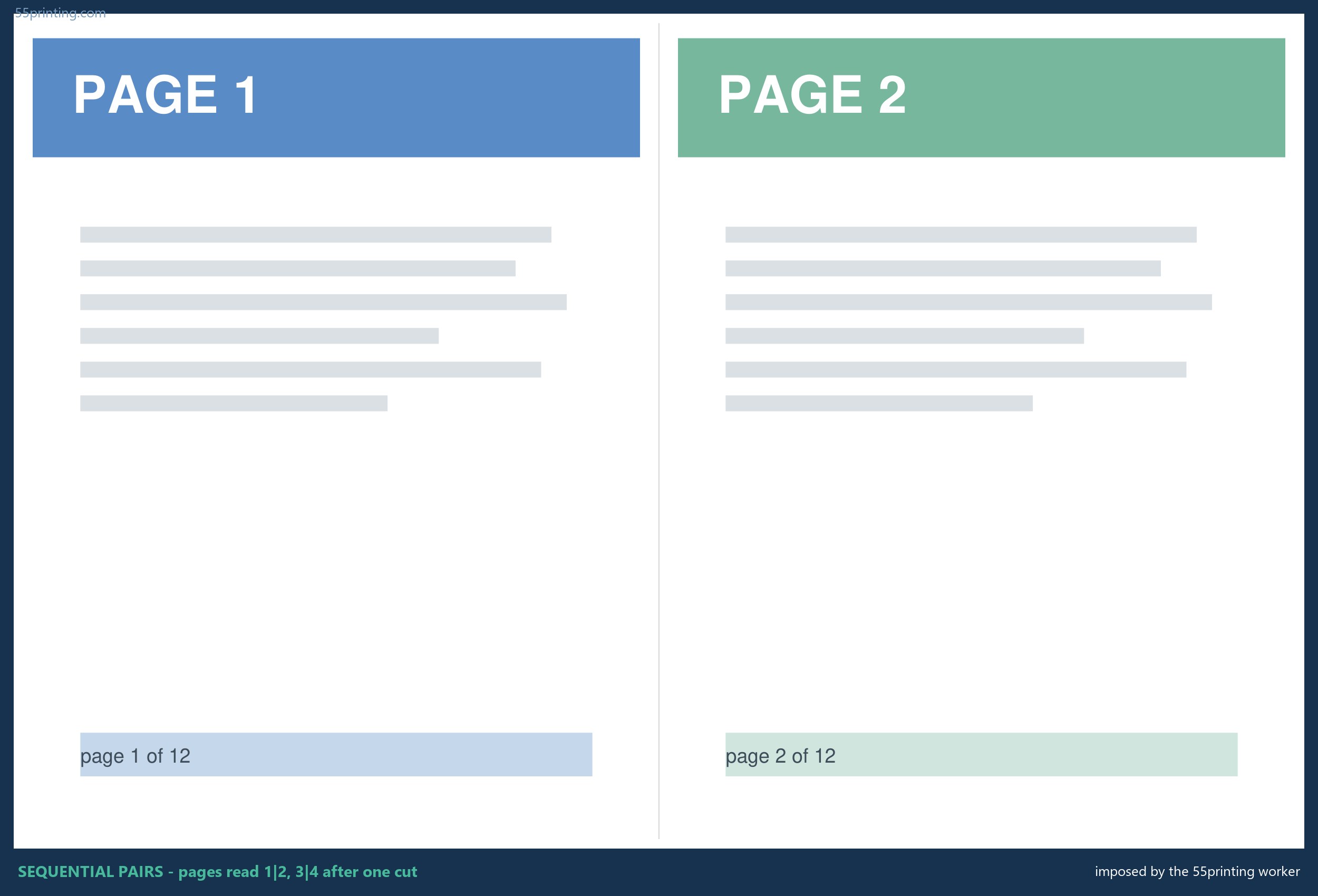
Real worker output: page 1 on the left and page 2 on the right of a tabloid sheet with crop marks in the corner
Real worker output: sequential pairs, page 1 left and page 2 right, with the center cut line.

The three page orders and when to use each

The question that decides everything is: what happens to the sheet after it leaves the printer? If the sheets get cut in half and each half keeps reading in order, you want sequential pairs. If you will cut the pile in half and stack the left half on the right half to rebuild the document, you want cut and stack. If the sheets get folded in half and stapled or sewn as a booklet, you want booklet order, where the last page shares a sheet with the first.

OrderSheet 1 holdsUse it when
Sequential pairs Page 1 | Page 2, then 3|4, 5|6... You cut in half and read in order: duplicated flyers, coupons, handbills, 2-per-sheet letters.
Cut and stack Page 1 | Page 7 in a 12-page doc, then 2|8, 3|9... You cut the pile and stack the left on the right: the document comes out in order with no hand collating.
Booklet order Last | First (12|1), then 2|11, 10|3... You fold and staple at the center: programs, menus, saddle-stitched catalogs printed duplex.

Quick hints: sequential pairs is what almost everyone means by two per sheet. Cut and stack is the production trick that saves hand collating when you print many copies of a long document. Booklet order is the only one that reads differently from the source file: do not panic when page 12 sits next to page 1; that is exactly what it should look like before folding.
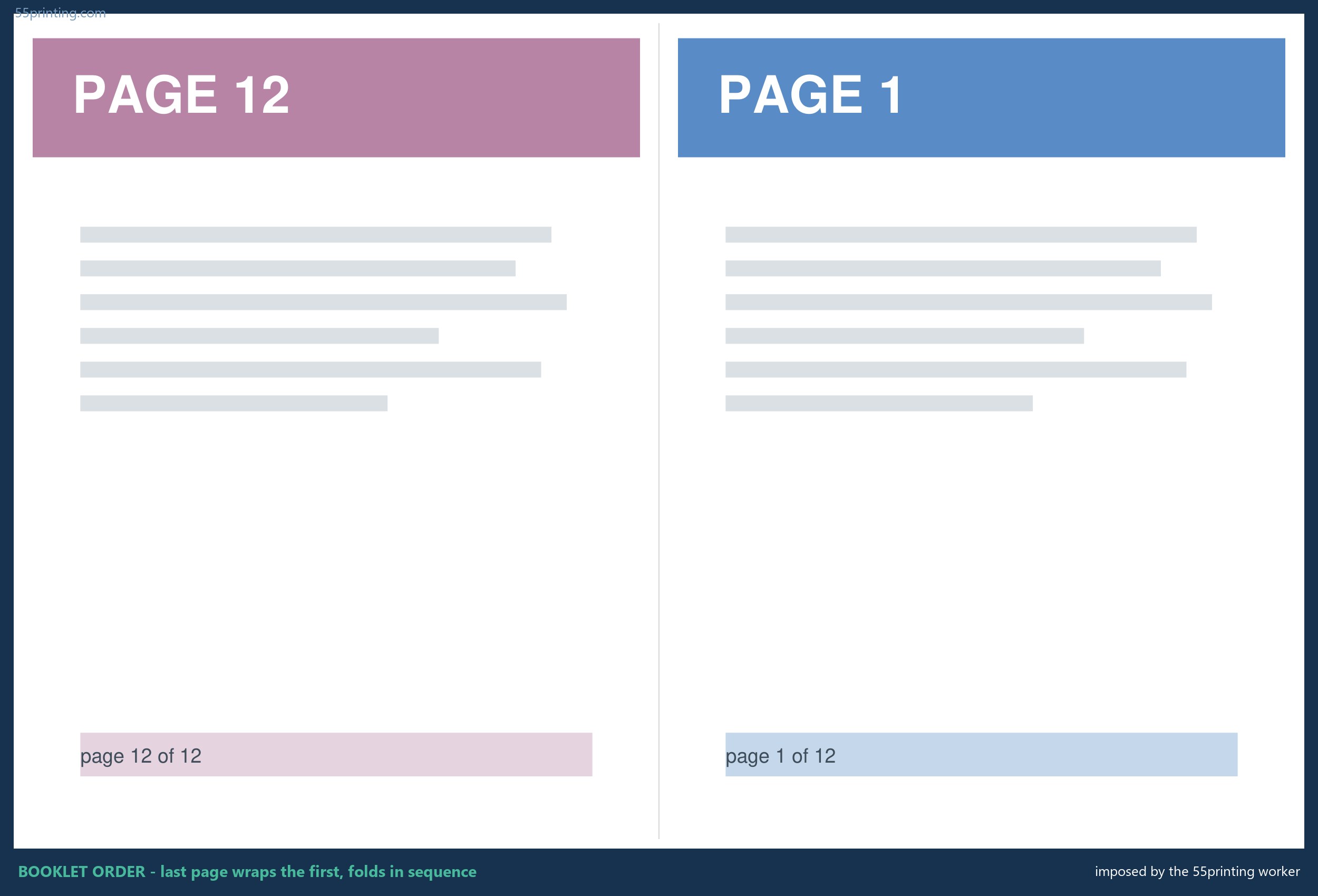
Real worker output in booklet order: page 12 on the left and page 1 on the right of the first sheet
Real booklet order: last page left, first page right. Fold at the center and the cover lands in front.

How to impose your PDF in four steps

  1. Upload the multi-page PDF. Pages can be letter or smaller; a tabloid page also fits but will shrink.
  2. Pick the order: pairs to cut and read, cut and stack to stack without collating, booklet to fold and staple.
  3. Pick the sheet: tabloid 11x17 keeps letter pages at true size; letter shrinks two letter pages to about 70 percent.
  4. Download, print duplex flipping on the SHORT edge, and cut at the center line.

The detail that ruins most homemade impositions is the second-side flip. Flipping on the long edge leaves the back pages upside down on landscape sheets. If your file mixes portrait and landscape pages, run it through the orientation normalizer first so every page arrives facing the same way.

What it does well and what it does not promise

It doesIt does not promise
Places pages as vectors: text and lines stay sharp at any zoom. It does not invent bleed. If the page reaches the edge, cut exactly or keep margin.
Scales pages larger than the cell to fit, without distorting. It does not compensate for paper creep on thick booklets; ask prepress for that.
Draws a center cut line and a corner mark to orient the sheet. It does not rotate or repair pages that arrived crooked or blank in the source file.
Accepts up to 400 pages and returns a PDF ready to print duplex. It does not check whether your content will print clean; run the free preflight for that.

Where this tool came from

It was born at the file-prep desk, not in a product brainstorm. Week after week the prepress team heard the same request from customers and production: take this document, use fewer sheets, and have it come out in order without anyone spending the afternoon re-sorting piles. The manual answer was opening the PDF in an editor, copying page by page into a tabloid document, and praying no two pages got crossed at ten at night.

The first automatic version only did pairs, because that was the common request. Then a 200-copy run of a 48-page manual landed: with pairs, every cut copy came out in two piles that someone had to interleave by hand, and cut and stack was added. Booklet order came from the pressroom itself, which needed sheets ready to fold without opening a commercial imposition package. The three live orders today are the three jobs that actually arrived.

If your job is more than two-up (saddle stitch with creep, signatures, drill patterns), upload the file through the File Uploader and ask for a free proof: the same engine imposes, but a person checks the order before you spend paper.

PDF 2-up imposition questions

How do I put two PDF pages on one sheet?

Upload the PDF, pick sequential pairs and the tabloid sheet, and download the result: every sheet carries two pages side by side with a cut line down the center. On letter the letter-size pages shrink to about 70 percent; on tabloid they stay true size. You get a new PDF; your original file is never touched.

Is imposing a PDF online free safe for my document?

Yes, and for a concrete reason: your file does not go to an outside server farm. It travels encrypted to the private 55printing worker in the office, is processed there, and the temporaries delete themselves after download. The public gets one PDF per minute; staff run without limits from an admin session.

What is the difference between sequential pairs and cut and stack?

Sequential pairs puts page 1 with 2, 3 with 4, and so on: ideal when you cut the sheet and each half reads in order. Cut and stack puts the first half of the document on the left and the second half on the right (1|7, 2|8 in a 12-page doc), so cutting the whole pile in half and stacking the left on the right rebuilds the document in order with no hand collating.

What is booklet order and when do I need it?

Booklet order arranges pages so that folding the sheet at the center produces reading sequence: the last page shares a sheet with the first, page two pairs with second-to-last, and so on. You need it when printing duplex, folding in half, and stapling or sewing, like a church program, a menu, or a small catalog. If you are only cutting sheets in half, use pairs.

My document has 7 pages, what happens to the odd sheet?

The last sheet comes out with page 7 on the left and a blank right cell, so the order and size stay consistent with the rest of the sheets. In booklet order the tool pads the needed blank pages at the end so the total is a multiple of four, exactly as a real prepress would.

Do pages lose quality when shrunk two per sheet?

No, because pages are not turned into images: each page is placed as a vector inside its cell, so text and lines keep infinite resolution exactly like the source file. What changes is the physical size on paper. A letter page on tabloid stays true size; on letter it lands around 70 percent, still readable for most body text.

Can I impose a PDF longer than 12 pages, like a 100 page book?

Yes, the worker accepts up to 400 pages per job and applies the same order to every sheet. For very long documents think about the physical step: cut and stack over 100 pages produces two 50-sheet piles you still handle carefully, and booklets over about 40 pages usually need creep compensation this tool does not apply; ask for prepress in that case.

How do I print the result double-sided without upside-down backs?

Choose flip on the SHORT edge in the print dialog, not the long edge. Imposed sheets are landscape, so long-edge flipping leaves the back pages upside down. This is the most common mistake in homemade impositions, which is why the note also appears on the result page.

Can I use this to make real saddle-stitched booklets?

For small booklets yes: pick booklet order, print duplex on the short edge, fold, and staple at the center. The page order will be correct. What the tool does not do is compensate for creep (the page drift on inner sheets of a thick booklet) or adjust bleed; for many-page booklets or client work, let prepress review a proof.

Why does the last page appear next to the first page in my imposed PDF?

Because you picked booklet order, and that order is correct: when the sheet folds in half, the last page (back cover) and the first page (front cover) share the same outer sheet. It is not a worker bug; it is exactly how booklets print. If you wanted consecutive pages, rerun the job with sequential pairs.

How much does it cost and do I need an account?

Free and no account. The public limit is one PDF per minute and up to 15 MB, which covers almost any office document. There is no watermark on the result and no email signup. The tool exists because file prep is what this print shop does every day, and a customer with a well-imposed file is a customer who prints without delays.

What if my pages are bigger than letter, like 11x17?

The worker scales each page to fit its cell without distortion. A tabloid page on a tabloid sheet shrinks to about 50 percent; on a letter sheet to about 35. It works, but small text may get hard to read. If your pages are 11x17 and you need true-size reading, this tool is not the answer: the output sheet would have to be bigger.

Two hundred copies of a 48 page manual, and nobody wanted to collate

A school office needed 200 copies of a 48 page manual for a training weekend. Their copier could print two letter pages on one tabloid sheet, but the pile came out needing someone to interleave two stacks by hand for every single copy. A teacher ended up sorting pages on the gym floor the night before. When the next manual arrived, our file-prep desk built the order into a queue job: cut the whole pile once, stack left over right, done. That is the cut and stack layout on this page.

The same job covers the two orders customers ask for most. Sequential pairs puts page 1 next to page 2 for flyers and handbills that get cut and read. Booklet order wraps the last page around the first so folded sheets read like a program. Upload your PDF, pick the order and sheet, and the private worker returns a press-ready file. The pages stay vector, so the download prints as clean as the file you sent.

Does 55printing impose customer files with this same tool?

Yes. The cut and stack order on this page is the same one the file-prep desk runs for collated manual jobs, and booklet order is the same layout the pressroom folds against. Public use is free with no account, one PDF per minute and 15 MB. If your document needs signatures, creep compensation, or a saddle stitch wider than two-up, upload it through the File Uploader and a person imposes it at no charge.

The order on the sheet is the part people get wrong

Most imposition mistakes are not page-size problems. They are order problems: pairs chosen when the job needed booklet order, or a duplex flip on the long edge that puts every back page upside down. The result page here tells you to flip on the short edge for exactly that reason. When the job is bigger than two-up, signatures, creep, or drill patterns, send the file through the File Uploader and the same desk that built this will lay it out for free.

Create & Design

Files & Proofs

Plan & Budget

Order & Pay

  • Online Payment - Pay an invoice with card, PayPal, or wallets
  • Pay Later - Order now and pay after you approve the proof
  • Price Match - Ask us to review a lower competitor price

Samples & Support

  • Custom Quotes - Get a written quote for special sizes, finishes, and large runs
  • Custom Orders - Special sizes, finishes, or design requests
  • Contact - Reach our print specialists by phone or form