

Privacy: Browser Tools vs Upload Tools for Print Artwork
Choose by current handling evidence, not by the word “browser.” A route that explicitly states local processing answers a different question from a browser page whose handling is unclear or an upload workflow. Classify the file, read the route language, keep the source and note traceable, and avoid sending restricted material until the selected path is appropriate for that data.
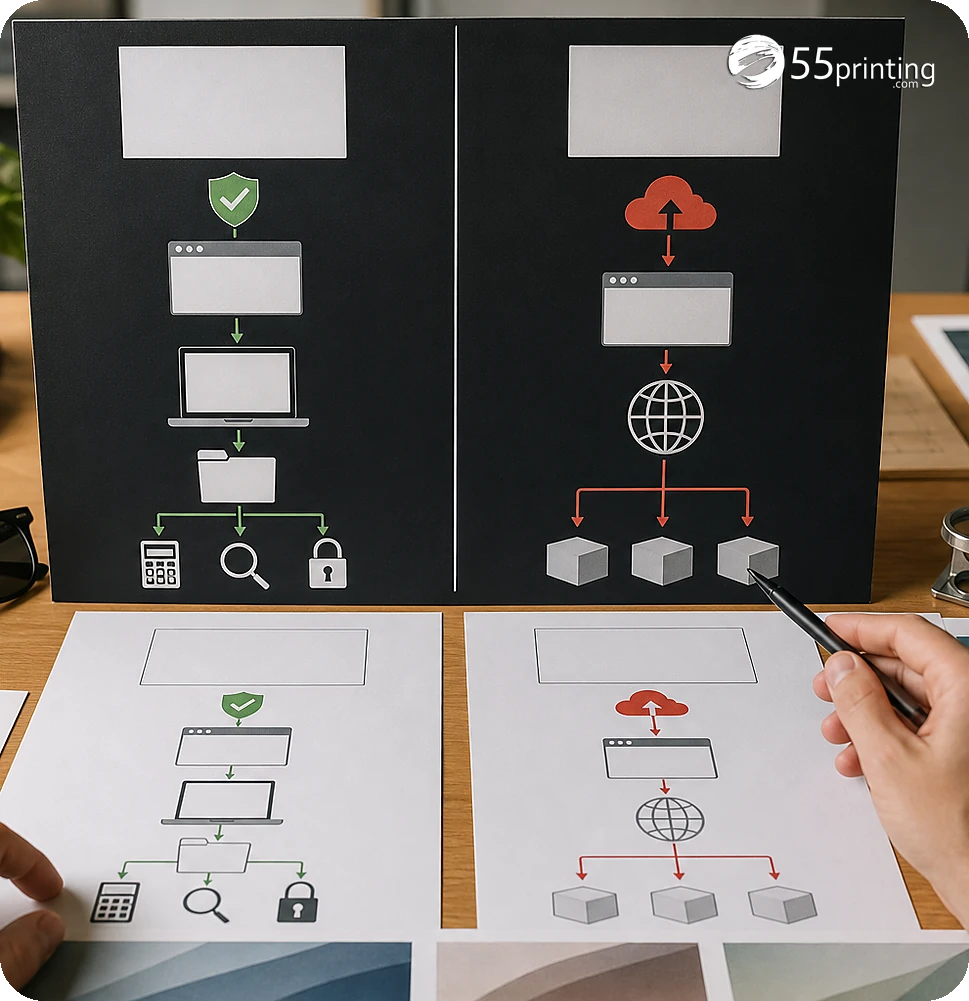
A browser interface does not automatically prove that a file stays local, and an upload path does not answer every retention or access question without current route language. The 55printing Artwork Quality Enhancer route documents local-processing behavior for its workflow; the File Uploader is a deliberate handoff path. Match the evidence to the file’s sensitivity.
What should be classified before choosing a path?
Identify whether the file contains public artwork, internal information, personal data, confidential customer material, brand assets, or an unresolved source problem. Record the product, requested action, source version, and whether proof or human review is required. The more sensitive the material, the less appropriate it is to guess from a generic interface.
| Observed path | What it proves | Record | Next action |
|---|---|---|---|
| Local processing is stated | The route makes a local-processing statement | Exact wording and date checked | Use only for the supported task and still protect the source. |
| Browser interface, handling unclear | Only that a page runs in a browser | Open privacy question | Do not infer local processing; seek current clarification. |
| Upload workflow | The file is sent through a handoff route | File purpose, version, and request | Use only when the material and review path are appropriate. |
| Proof or review route | A review step exists for the resulting file | Source and approval question | Compare product context after the handling decision. |
How should browser and upload paths be compared?
Compare the route’s stated handling, required action, source sensitivity, output, and review need. A browser-local utility may fit a supported conversion or enhancement task, while an upload path may be needed for a documented customer-artwork handoff. Neither path should be described more broadly than its current evidence supports.
- Classify the file and data sensitivity.
- Read the route’s current handling language.
- Identify whether processing is local, uploaded, or unclear.
- Keep a named source and output version.
- Record the open privacy or product question.
- Use proof only after the selected path is appropriate.
What should the privacy decision note include?
Name the product, file version, data category, requested action, route checked, handling wording, date checked, output, and unresolved question. State whether the file is public, internal, confidential, or restricted according to your own requirements. Keep passwords, unrelated personal information, and credentials out of both the source note and the handoff.

How does proof fit after the handling decision?
After the file has used an appropriate route, use the free PDF proof to compare content, crop, product size, bleed, safe zone, and image detail. If the handoff needs source context, use the File Uploader with a named version and review question. Proof checks the output; it does not retroactively resolve an unsuitable handling path.
Which files need extra care?
Public marketing artwork
Classify the file as public only when that is accurate, check the route’s current behavior, and still keep a named source. A public file can have private credentials or customer details hidden in layers, notes, or metadata.
Internal or restricted document
Do not infer local processing from a browser address bar. Read the current handling language and use an approved path for the material. If the behavior is unclear, pause rather than testing the full source.
Customer artwork needing review
Use the documented handoff route when source context and review are required. Name the product, version, requested change, and open question, and keep unrelated personal information out of the note.
Questions customers ask
Does a browser tool keep files local?
Only the route’s current wording or verified behavior can answer that question. A browser interface alone proves that the page runs in a browser, not that processing is local. Read the route language, record the date and task, and avoid sensitive files when handling is unclear.
What is different about an upload tool?
An upload tool is a deliberate handoff path in which the file is sent through a service workflow. That may be appropriate for review, but the decision should match the file’s sensitivity and current route language. Name the source, purpose, version, and open question.
Can I use a local route for every file?
No. A route’s local-processing statement applies to its supported task and current implementation. It does not automatically cover every format, tool, page, browser, or future change. Read the current wording, keep the source, test a non-sensitive copy when appropriate, and document the boundary.
Should public artwork be uploaded?
Public artwork may be suitable for an upload workflow when the route and review need fit, but check hidden layers, metadata, credentials, and customer details first. Classify the actual file, name the requested action, and keep unrelated private information out of the handoff.
What if privacy wording is unclear?
Pause the sensitive workflow and record the exact route, file type, requested action, and unanswered handling question. Do not fill the gap with an assumption based on the URL or browser interface. Seek current clarification or select a path whose behavior and wording fit the material.
Does a proof protect private data?
A proof is a review step for the resulting file; it is not a substitute for choosing an appropriate handling path. Decide where the source may be processed first, then use proof to inspect content, crop, size, and placement without adding unrelated private data to the note.
What belongs in a privacy note?
Record the file version, data category, product, requested action, route checked, handling wording, date checked, output version, and unresolved question. Keep credentials and unrelated personal information out. This gives the reviewer enough context to evaluate the print decision without exposing extra data.
Can a browser and upload path be combined?
They can be separate steps when the file handling and review requirements support that plan, but do not pass sensitive material between paths casually. Record what was processed locally, what was uploaded, which version moved, and why the next route was appropriate for that file.
Classify the file, read the current route language, record the decision, and use proof only after the path fits the material.